As every cloud CCTV platform or VSaaS enables anywhere access to CCTV footage, it’s worth considering other features to determine which is best for your business. Here are our top picks and why:
SEiNG – cybersecure managed VSaaS with true UK cloud storage
Ideal for UK multi-site businesses with an existing camera estate.
SEiNG works with any ONVIF or RTSP camera, giving you the flexibility to use the CCTV cameras you have, purchase new ones, or mix and match.
As a true cloud solution, you can choose a hardware free deployment or use a small cloud gateway for buffering and bandwidth management. Either way, no NVR is required, removing hardware dependence. Instead, all footage is processed and stored in a UK data centre for confidence in compliance.
Everything updates automatically so users have the most secure and feature rich version. Features include:
- Robust access controls, with single sign on and 2-factor authentication for every user
- AI-backed analytics and alerts, with the option to customise analytics for unique use cases
- Attribute search to find footage fast
- Cases to track and manage investigations
SEiNG is delivered as a fully managed service, with everything from onboarding and training to ongoing support and system health monitoring included. It uses a tier-free subscription-based pricing model, with no upfront costs or license fees. Instead, every user gets all features and the managed service from £5/camera/month.
Videoloft – for businesses wanting to keep existing NVR
Ideal for businesses that want to add cloud-based remote access while continuing to use their existing CCTV infrastructure.
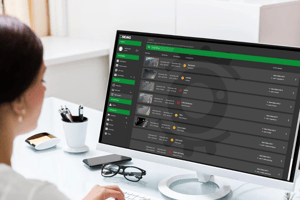
Videoloft provides a hybrid cloud video surveillance solution that connects existing on-site recorders to the cloud, allowing users to access live and recorded footage remotely through a web browser or mobile app.
This approach can be a practical option for organisations that have already invested in NVR hardware and want to extend the life of their current CCTV system without replacing their existing infrastructure.
By adding cloud connectivity, businesses can benefit from easier remote viewing, centralised access and cloud-based management features, while continuing to record footage locally on their existing equipment.
Key features include:
- Remote access to live and recorded footage through web and mobile applications.
- Support for existing CCTV cameras and recorder infrastructure.
- Cloud connectivity without requiring a complete CCTV replacement.
- Centralised management of multiple sites.
- Secure sharing of video footage.
It’s important to note that as you’ll remain dependent on on-site recording infrastructure, you must consider hardware maintenance, recorder health, storage capacity and the long-term scalability of your CCTV estate.